As a Material Advantage Member, you receive membership benefits from ASM International. While many of your account details are automatically imported, you will need to apply your Material Advantage membership to your ASM account. Learn how in five steps!
Experience Difficulties?
If you encounter challenges at any point along the way, please reach out to our Member Service Center – to help them process your request faster, please include your full name, the date you joined Material Advantage, and your Material Advantage/TMS ID (a six-digit number unique to you issued upon joining).
Step 1 – ASM Password Creation
(If you have successfully logged into the ASM site previously, you can skip to Step 2 below)
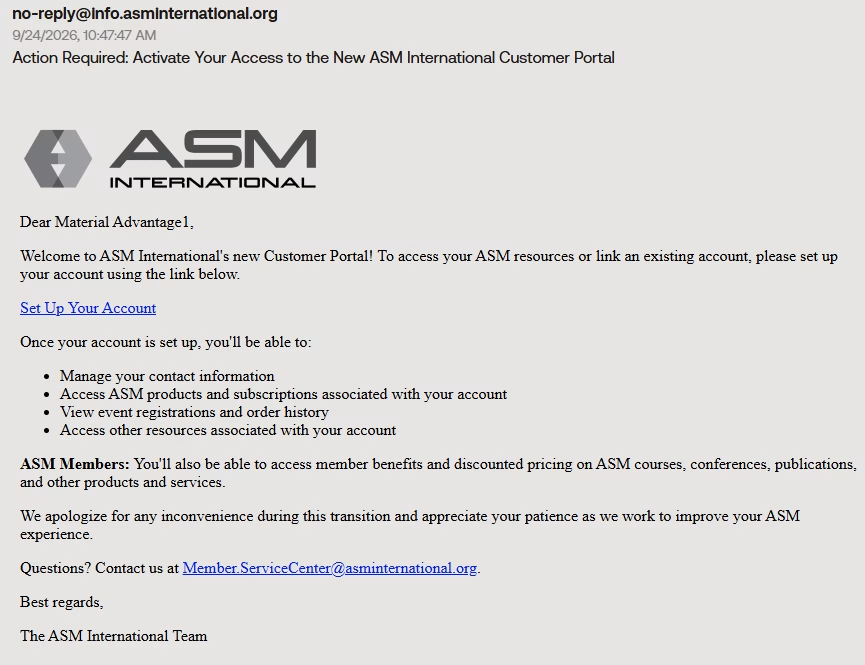
When your details are first added to our system from Material Advantage, you will receive an automated email from [email protected] with subject Action Required: Activate Your Access to the New ASM International Customer Portal (image 1 below) with instructions on how you can set your password and login. You may want to check your spam folder if not in your primary inbox. These emails are sent within 48 hours of your Material Advantage membership purchase.
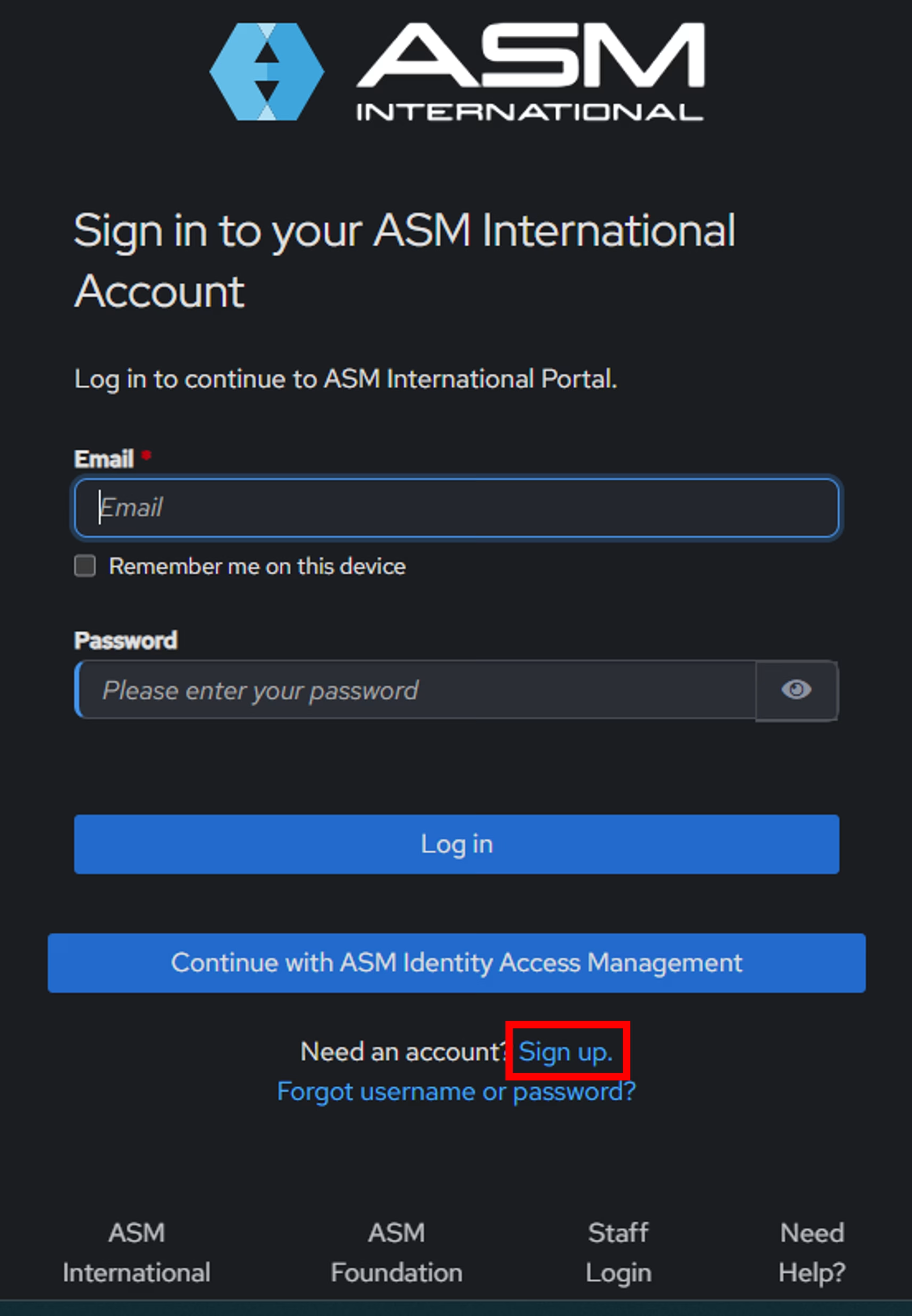
Don’t have the email after 48 hours? No worries! You can still activate your account. Simply visit www.asminternational.org, click MyASM at the top right of the page (image 2 below), and then click Sign Up (image 3 below). Note that you will need the exact First Name, Last Name, and Email Address that you used when you registered for Material Advantage. Follow the prompts to set your password and login.
Image 1 – Welcome Email
Click Image To Enlarge
Image 2 – Webpage Top Menu View
Click Image To Enlarge
Image 3 – Sign Up Portal
Click Image To Enlarge
Step 2 – Accessing The Join Process
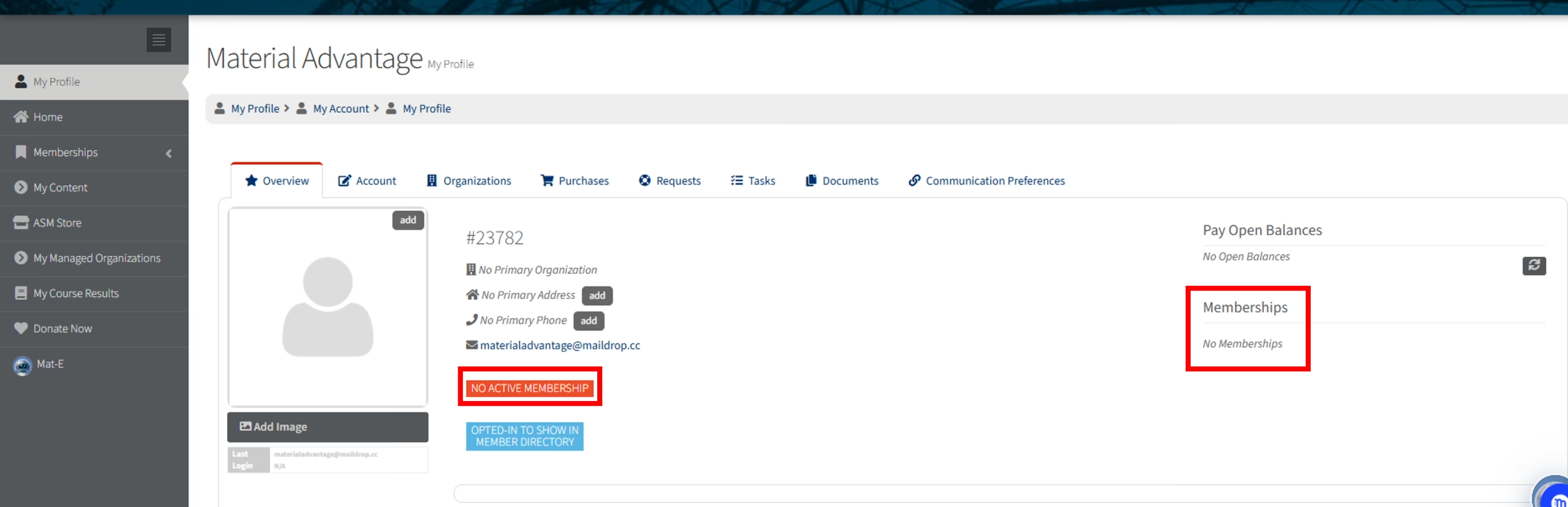
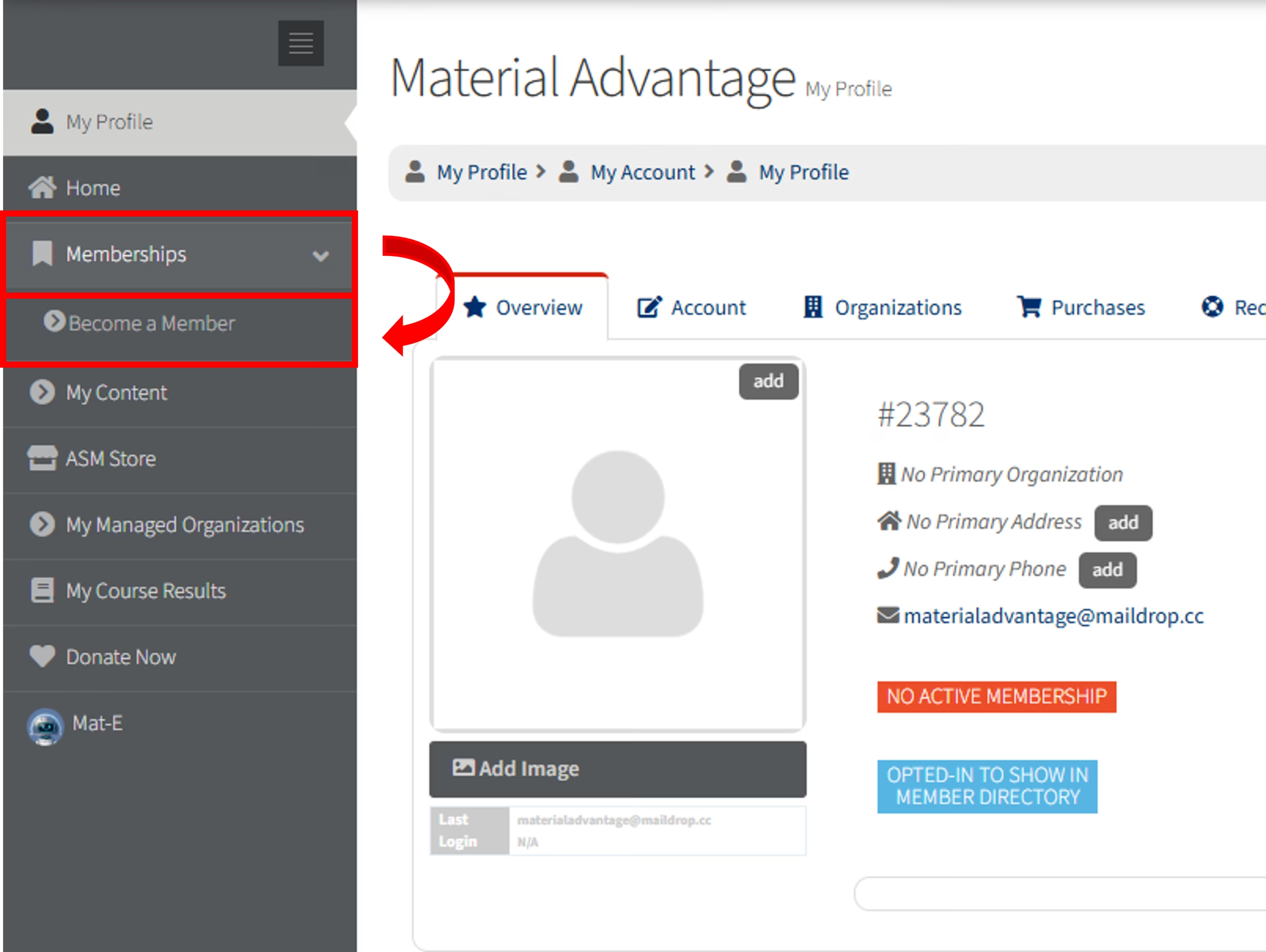
If not already, log into the ASM website by clicking the MyASM at the top right of the page (image 1 below). Upon logging in, you will be directed to your profile (image 2 below). You’ll notice the lack of memberships associated with your account. Navigate to the left navigation menu, click Memberships then Become a Member (image 3 below).
Image 1 – Webpage Top Menu View
Click Image To Enlarge
Image 2 – Profile View
Click Image To Enlarge
Image 3 – Left Menu Options
Click Image To Enlarge
Step 3 – Adding Your Base Membership
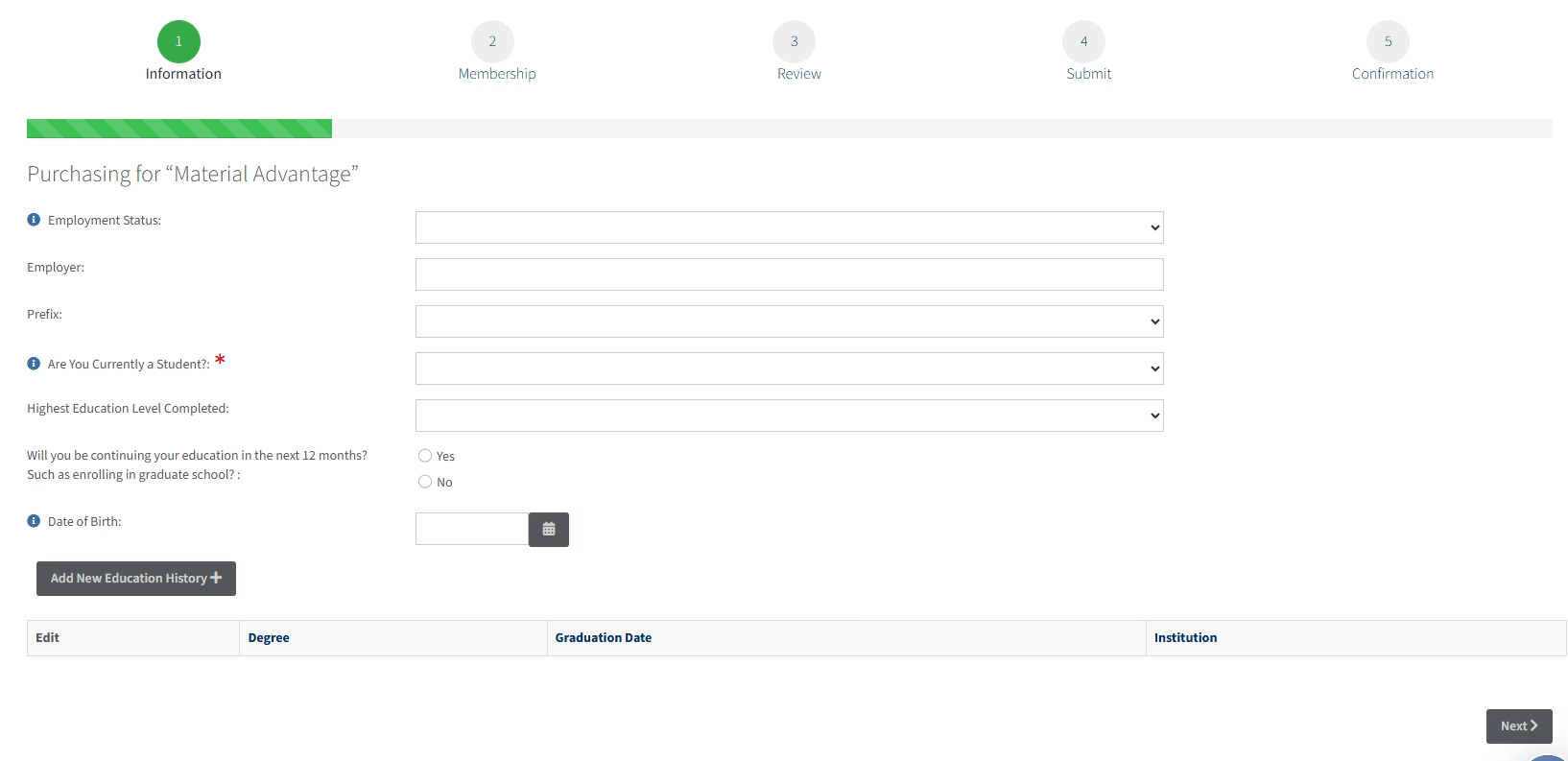
After clicking Become a Member, you’ll be directed to the first screen in the membership join process (image 1 below). Many of your details may have already been imported into these fields. If not, please proceed to fill them all out or edit any details that need to be corrected. Once finished, click Next.
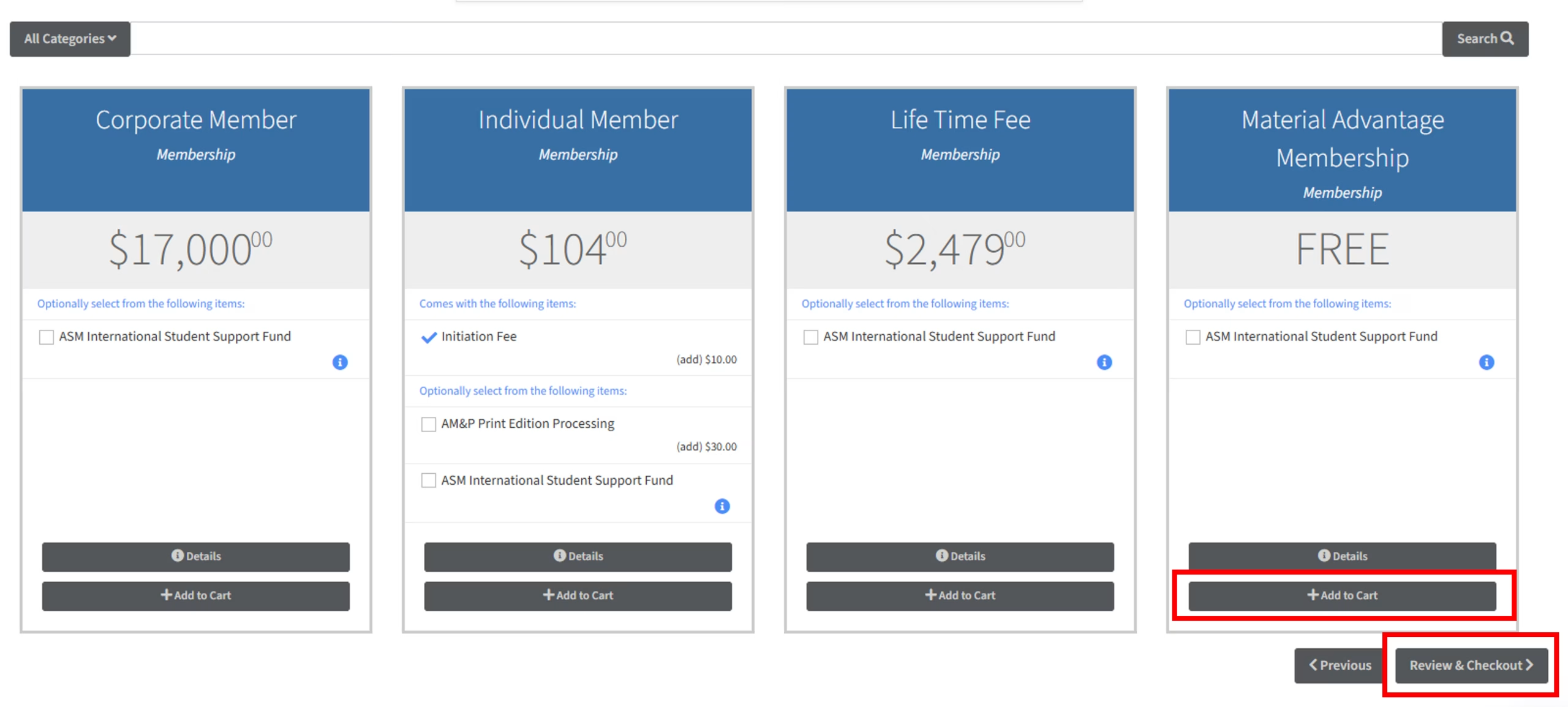
A few different membership options will show. Add the Material Advantage Membership to your cart. It should display as free. Click Review & Checkout (image 2 below).
Image 1 – Join Process, First Page
Click Image To Enlarge
Image 2 – Adding Base Membership To Cart
Click Image To Enlarge
Step 4 – Adding Additional Memberships
1. Material Advantage Student Chapter (Required)
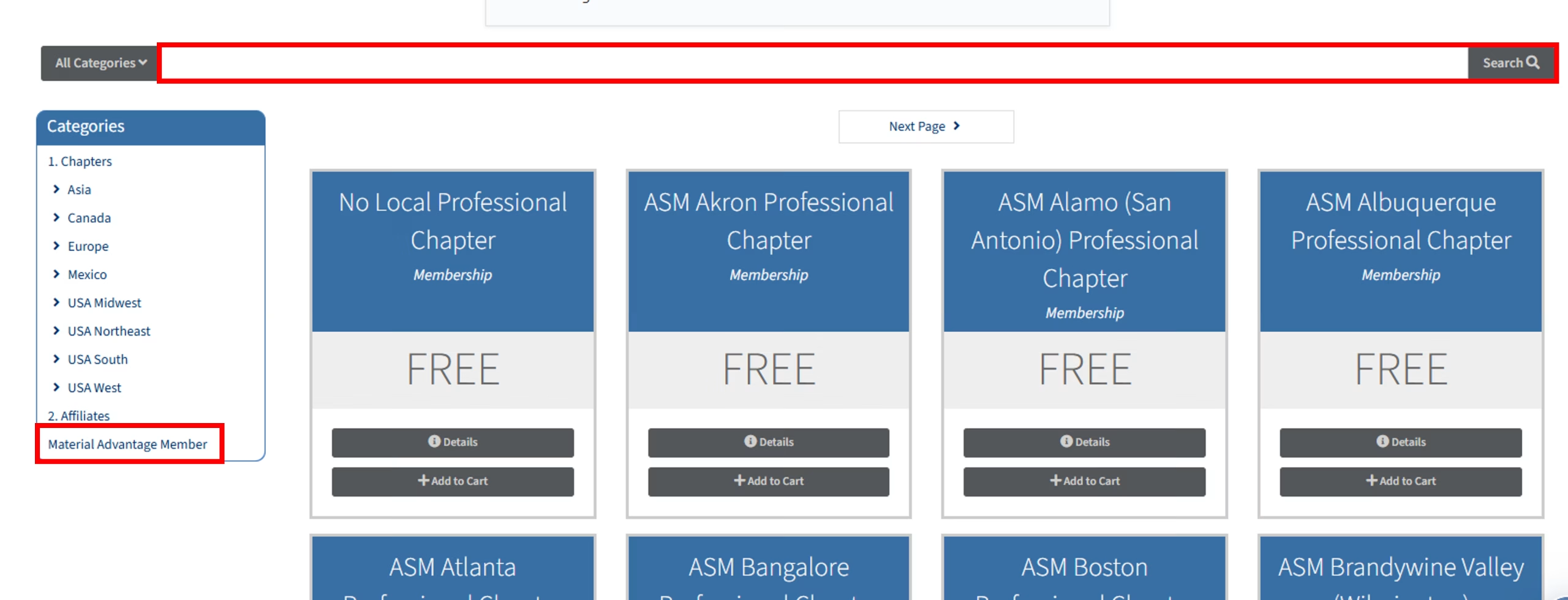
From the left menu, choose Material Advantage Member (image 1 below). Active Material Advantage University Chapters are listed alphabetically by location, then name. Browse for your university or use the top search bar (image 1 below). You can also view the full MA Chapter listing here. Once located, add your university’s chapter to your cart. If your university does not have an Active Material Advantage Chapter, add No Material Advantage Student Chapter to your cart instead, found at the very end of the list (or use the top search bar to quickly locate it). Exactly one Material Advantage Chapter option is required at this step, and no additional selections can be added. Once you’ve added your one selection to your cart, select Review & Checkout to continue.
2. Local ASM Professional Chapter (Required)
On the next screen, add an ASM Professional Chapter to your cart. You may wish to add one that is near your university or your home. If none is nearby, select No Local Professional Chapter.
3. ASM Affiliates (Optional)
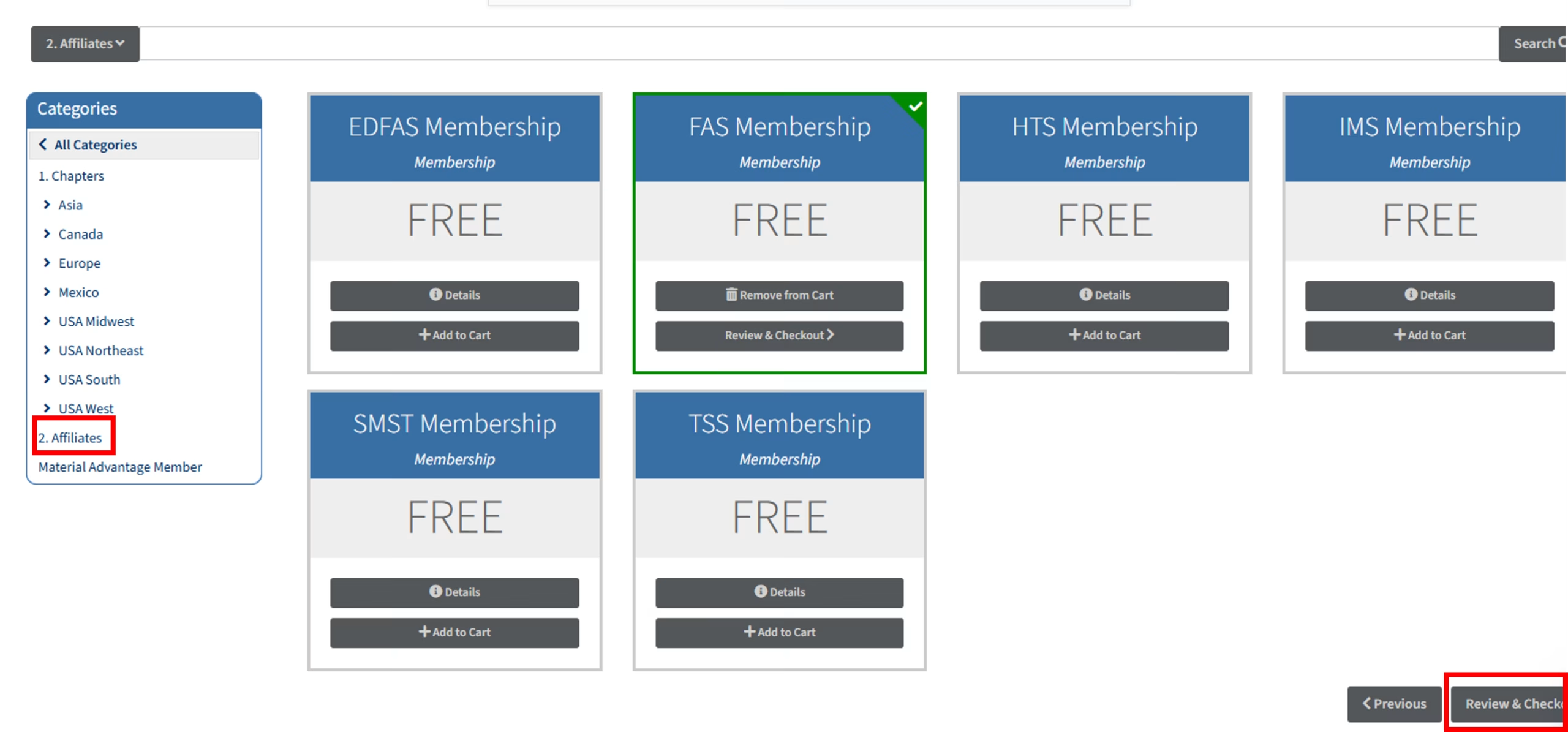
From the same screen, you may add any optional Affiliate Memberships. Select the Affiliate category from the left menu (image 2 below) and add any societies you’d like to join. Affiliate memberships are free for Material Advantage students. Learn more about the Affiliate Societies here.
4. Membership Check
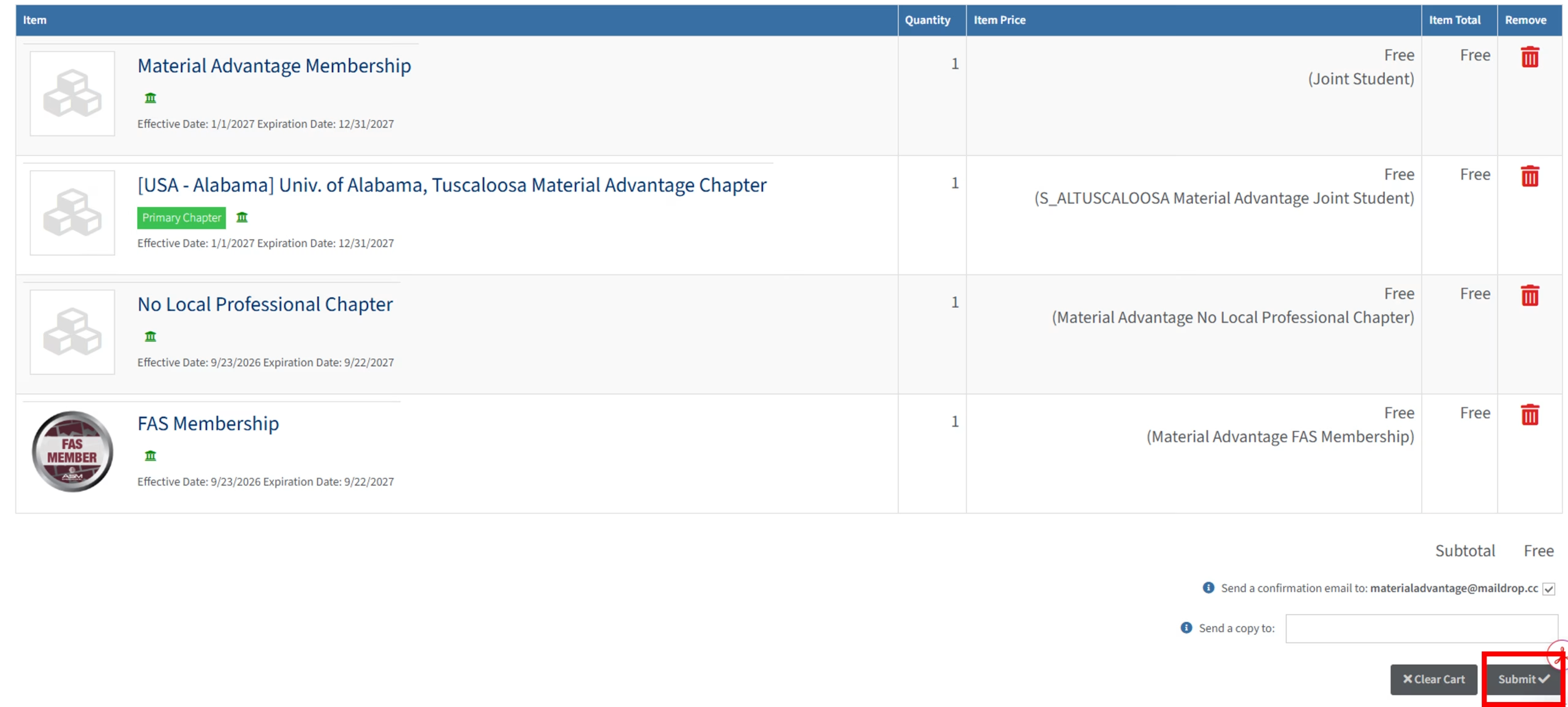
After adding your Chapters and any optional Affiliates, select Review & Checkout (image 2 below). Check your cart, then click Submit to confirm (image 3 below).
Image 1 – Material Advantage Chapter
Click Image To Enlarge
Image 2 – Affiliate View
Click Image To Enlarge
Image 3 – Cart Confirmation
Click Image To Enlarge
Step 5 – Final Membership Check
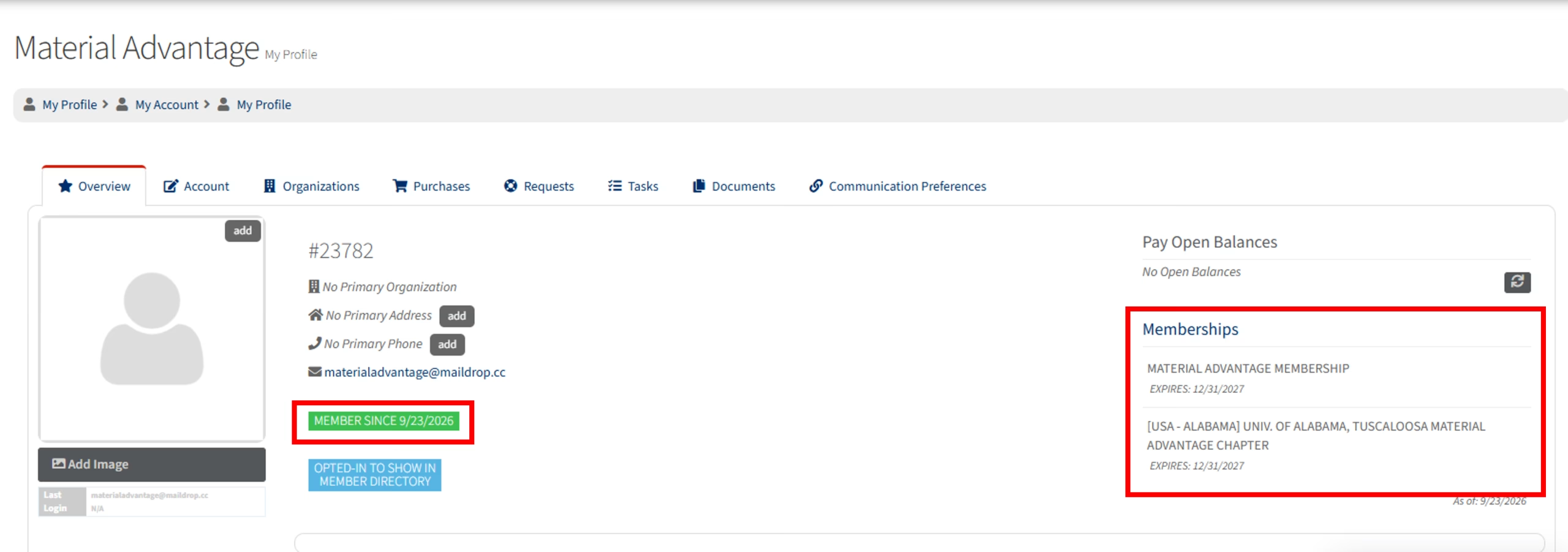
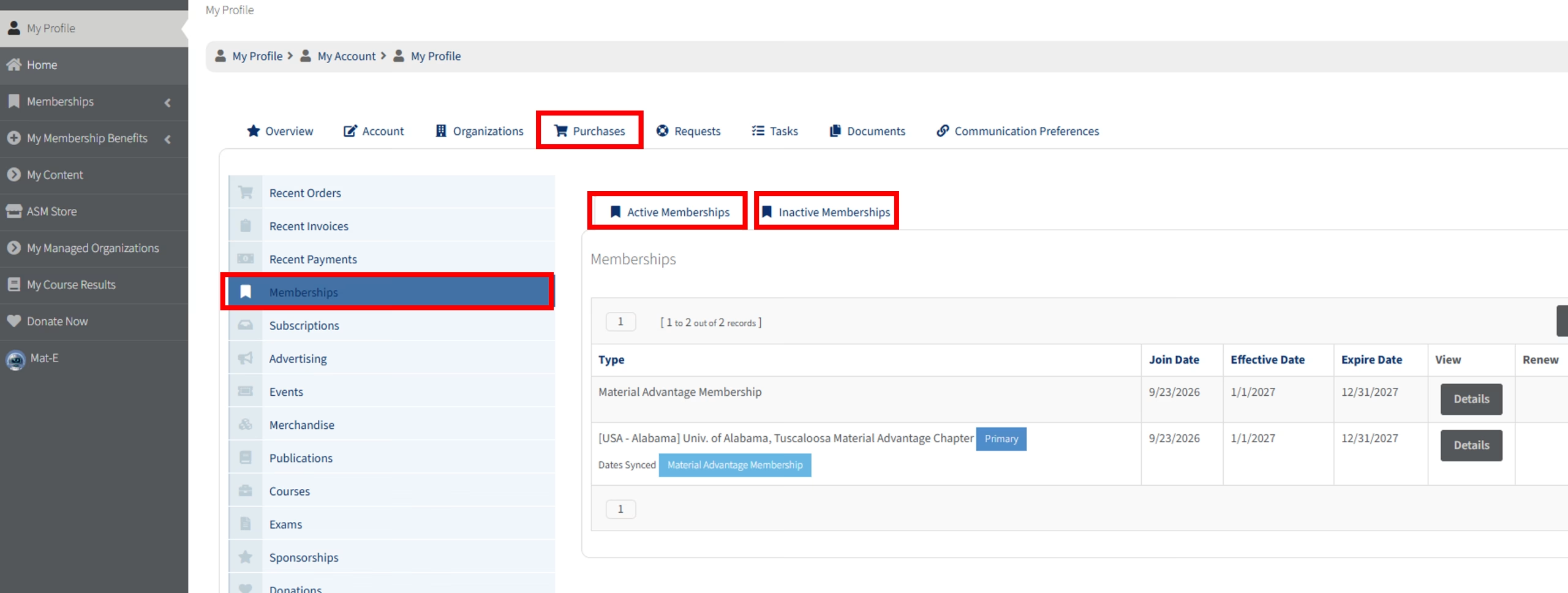
Membership should now show on your profile (image 1). Occasionally, ASM’s system may need to refresh before displaying. If you do not see a specific membership that you purchased, navigate to Purchases > Memberships > Active Memberships (image 2). You can also view Inactive Memberships, as certain memberships may have a delayed Effective Date (this can occur based on when you joined Material Advantage to ensure you are receiving the appropriate duration of membership). As long as your Join Date is correct, then you will appear on ASM’s rosters, etc. for those memberships.
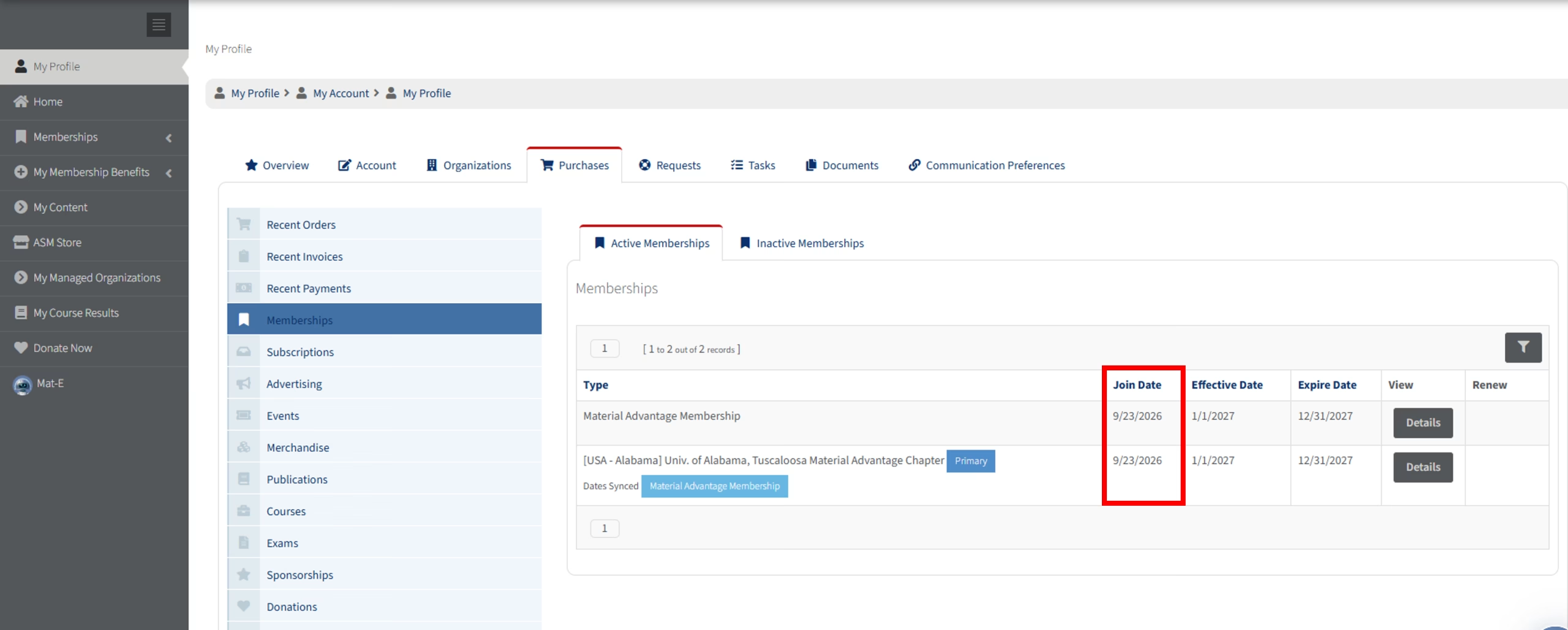
Depending on when you activated your ASM membership vs. when you first joined Material Advantage, you may want ASM to update your Join Date (image 3) to match. Simply fill out our MA Join Date Update Form to have us review your account – requests are generally processed within two/three business days and will automatically display on your profile.
Image 1 – Main Profile With Membership
Click Image To Enlarge
Image 2 – Purchased Membership View
Click Image To Enlarge
Image 3 – Join Date
Click Image To Enlarge
Before You Leave…
Be sure to check out ASM’s Student Webpage to view opportunities for Material Advantage Members, including our latest student eNewseletter, contests, and details regarding general benefits.